AI Copy Rewriter
Rewrite copy in designs made here or brought into the editor.
The project · 1 / 2
Design from start to finish in Piktochart.
Rewriting copy, getting design feedback or editing an image can mean opening another platform. Each time someone leaves, we risk losing them. I worked on four AI tools to keep that help inside Piktochart.
Logo Generator is live. AI Templatizer is ready for release. Copy Rewriter and Design Review are in development.
Anil Kumar Giridhar
The project · 2 / 2
Give people the help they need, right where they’re designing.
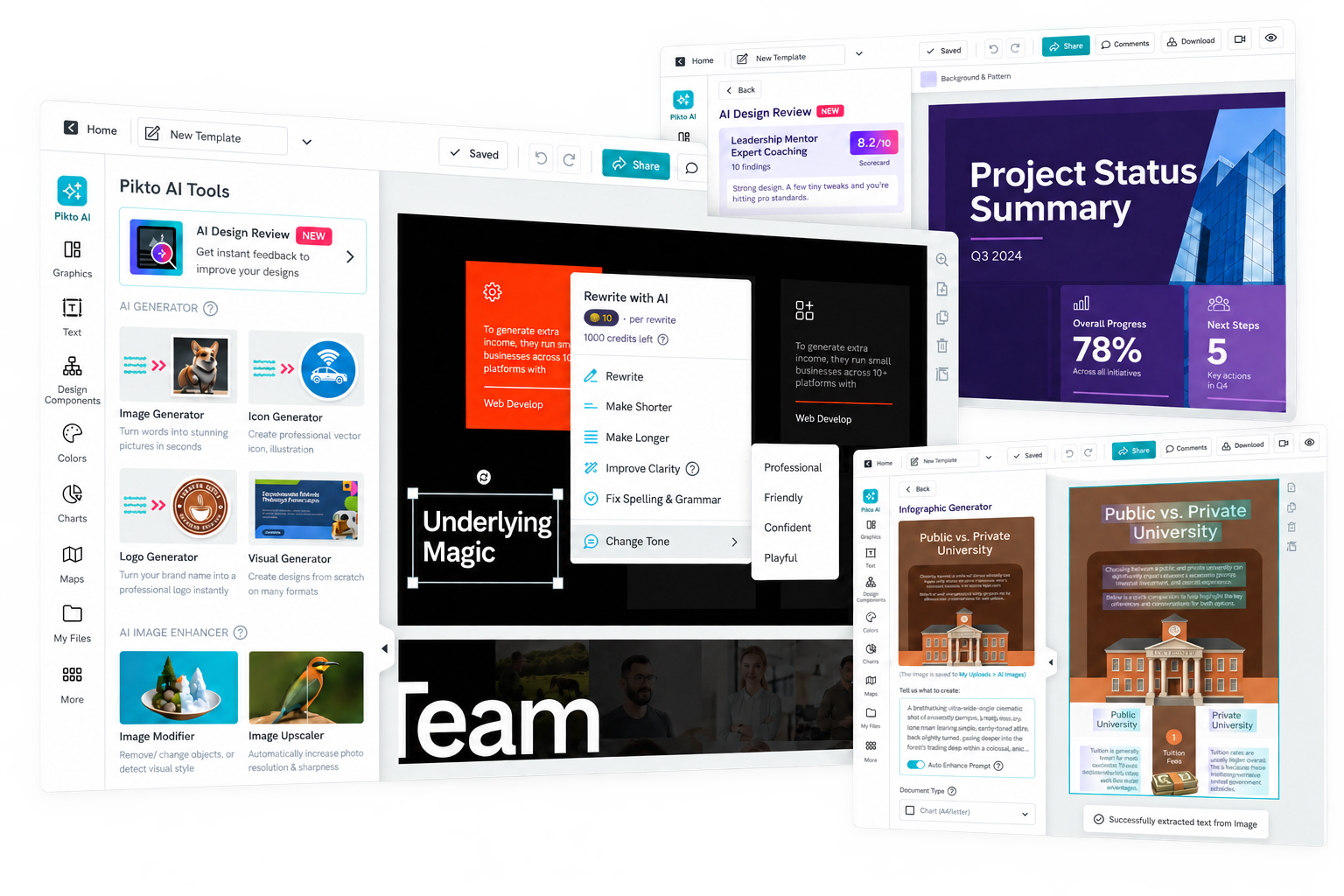
The suite brings copy rewriting, design feedback, logo creation and image conversion into one workspace. The business goal: fewer reasons to leave Piktochart before the work is done.
Create, edit and review in one place.
Rewrite copy in designs made here or brought into the editor.
Check the design you’re editing and get clear suggestions.
Create a new logo from a prompt, with a style and layout that fit.
Turn an image into a design you can edit and make your own.
AI Templatizer · 1 / 2
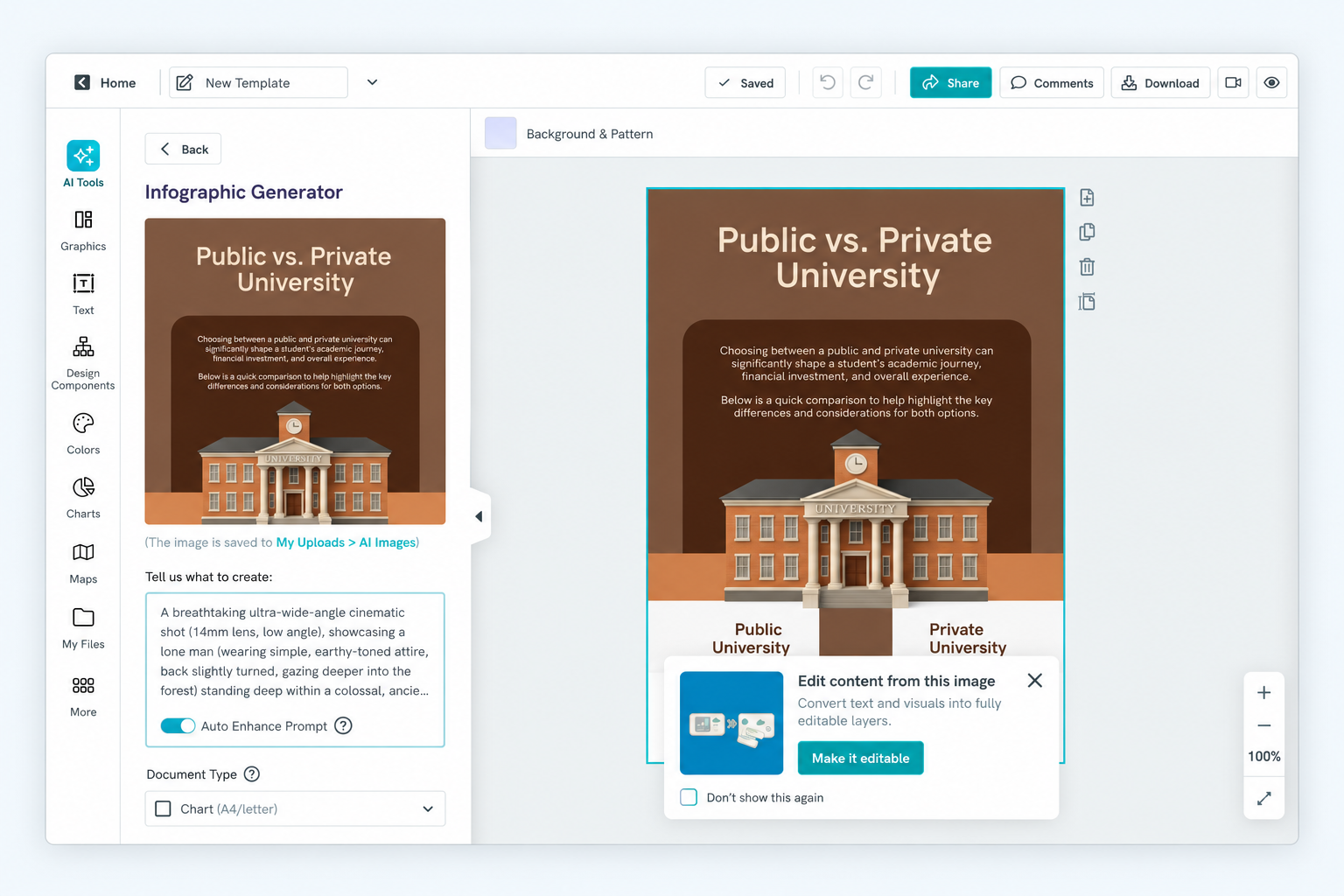
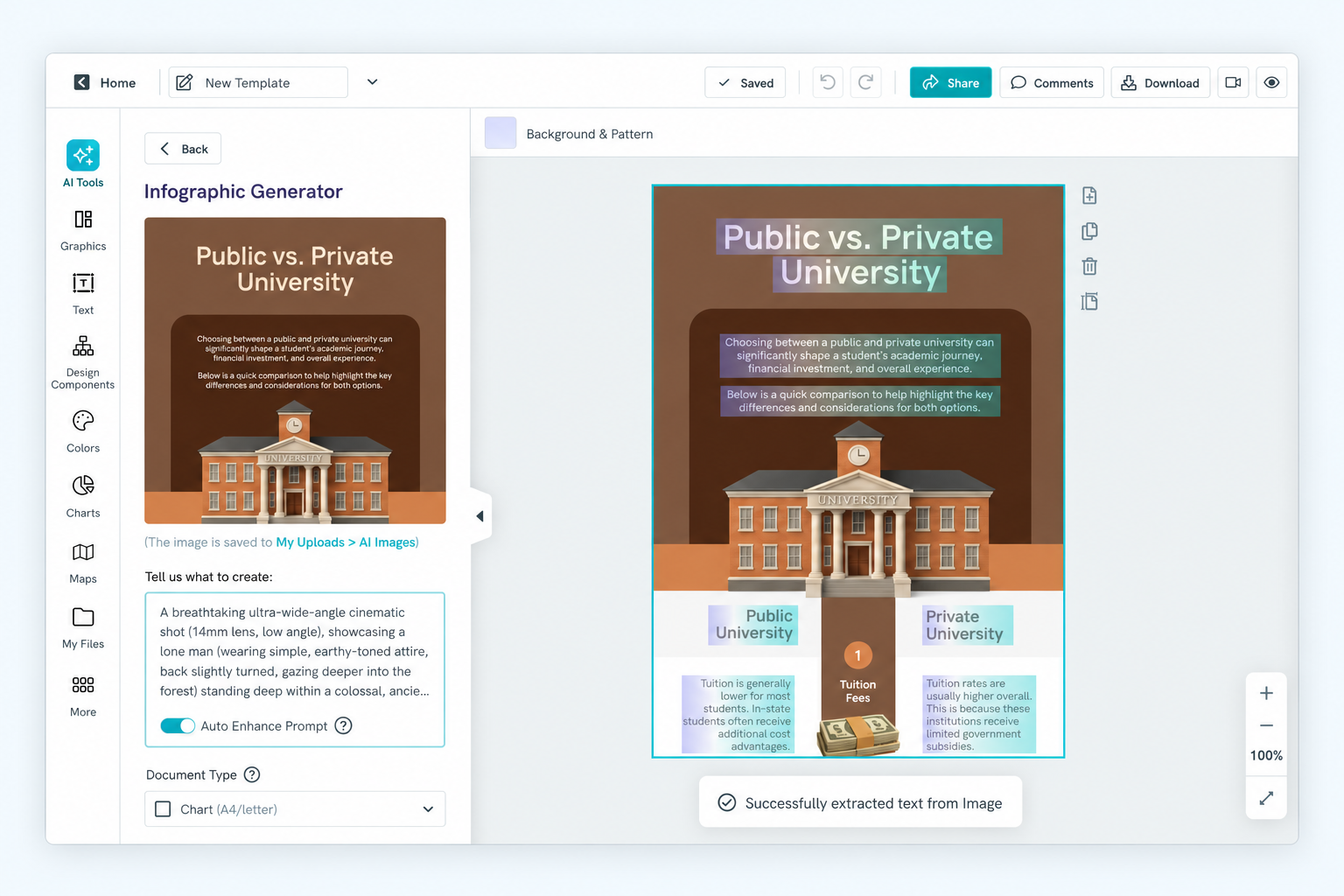
An AI infographic arrives as one flat image. Changing a heading or a color shouldn’t mean starting again.
AI Templatizer turns that image into an editable asset inside Piktochart.
Why it matters
Keep the next round of editing in Piktochart, even when the image started somewhere else.
In development · Ready for release
AI Templatizer · 2 / 2
Edit the text, change colors, move elements and rework the layout in the editor.
We match the original fonts and preserve the page size, so people can keep working with the design they already have.
How it works
Generate an infographic or upload a PNG or JPG. Convert it, then customize it without rebuilding the whole thing.
In development · Ready for release
AI Copy Rewriter · 1 / 2
Fixing a sentence shouldn’t mean copying it into another AI tool and back.
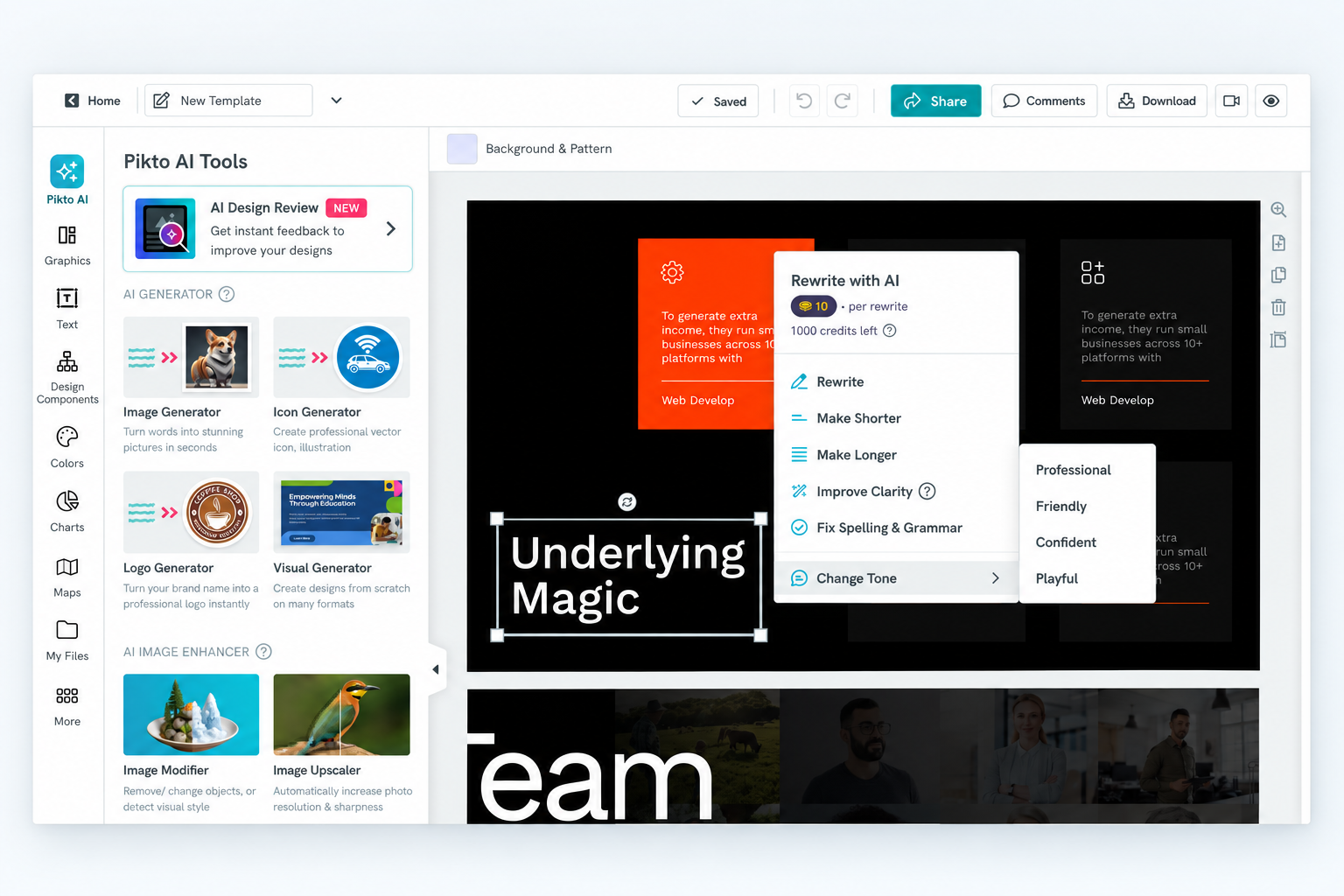
Select text, choose a rewrite action, and preview the result alongside the design.
Why it matters
Keep copy edits in the same workflow as the layout.
In development · Not released
AI Copy Rewriter · 2 / 2
The right wording depends on the audience. Choose Professional, Friendly, Confident or Playful.
Accept replaces the selected text. Discard keeps the original. A failed request leaves it untouched.
Design choice
Show the suggestion before replacing anything. The person working on the design decides what stays.
In development · Not released

AI Design Review · 1 / 2
Most people using Piktochart aren’t designers. Knowing what to fix can be harder than making the change.
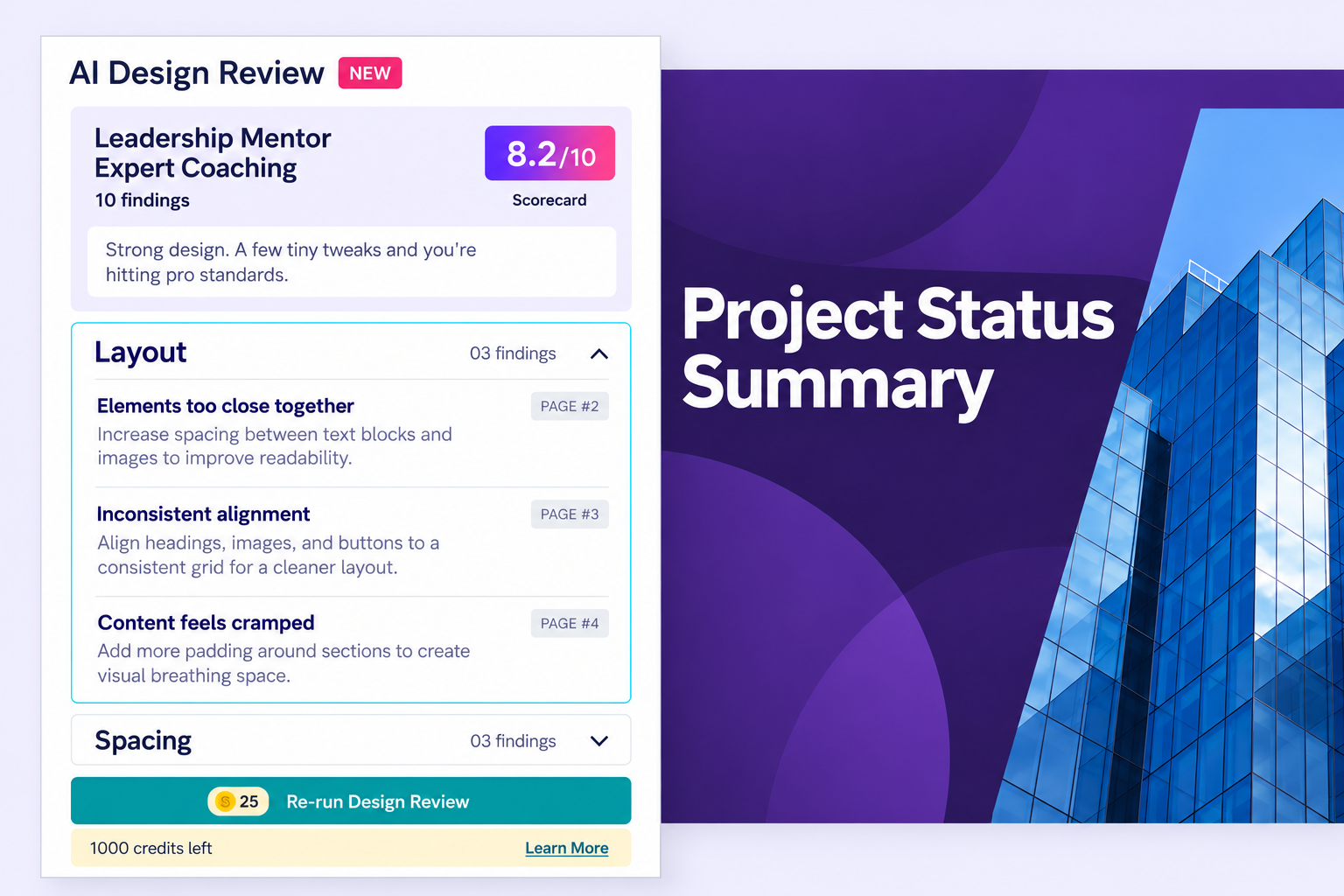
The review sits beside the canvas. Each finding names the issue, a fix and the page.
Why it matters
Help people finish with more confidence, then review again after making changes.
In development · Not released
AI Design Review · 2 / 2
Five categories. Ten checks in each. Their average gives each page a score out of ten.
Every category has the same weight. Multi-page reviews average only the pages people choose.
Design choice
The first review is free. Charge after success, once all selected pages finish processing.
In development · Not released
AI Logo Generator · 1 / 2
Logos used to sit inside the Icon Generator. A vague prompt could return an icon, even when someone wanted a logo.
We gave logos their own starting point, with the intended output built into the tool.
Why it matters
Make logo creation easier to find and get to a useful result with less prompt rewriting.
Shipped and live
AI Logo Generator · 2 / 2
Illustrated, Engraved or Line Art. The examples show what to expect before generating.
Choose 1:1 for a square mark or 2:1 for a wide layout.
Design choice
Put style and size in the interface, so people don’t have to describe both in a prompt.
Shipped and live
Thank you for taking a look.